Buyer's guide
How to Choose a Vibe Coding Tool in 2026
Choose a vibe coding tool by matching its operating model to your project: browser builder for rapid prototypes, IDE or terminal agent for owned code, and cloud agent for reviewable repository tasks.
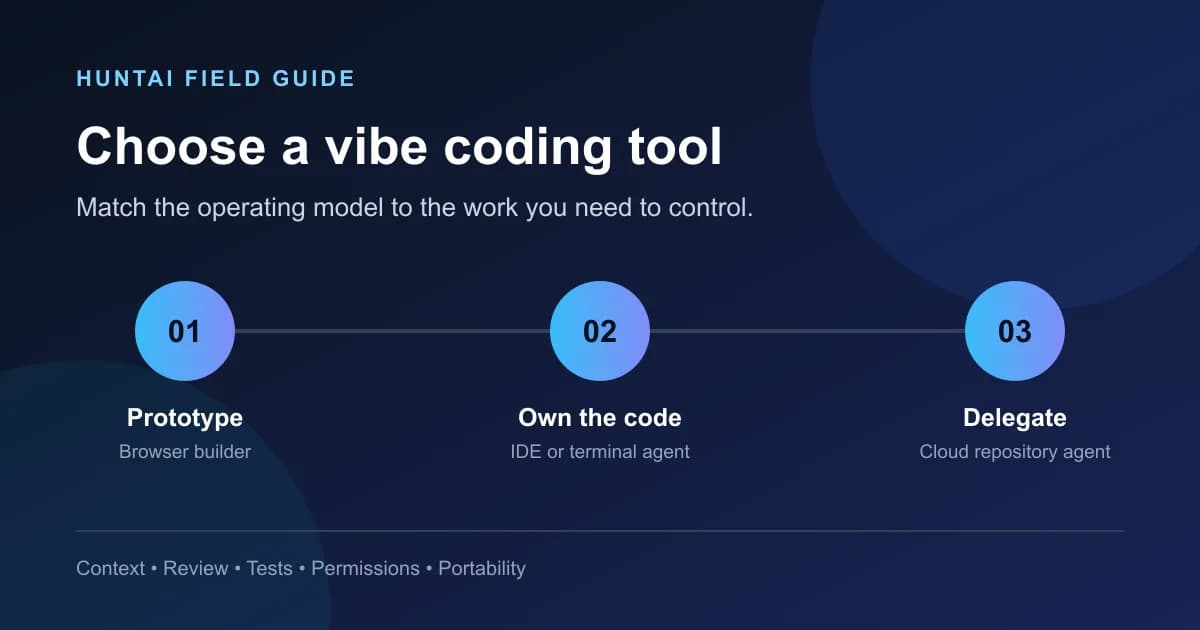
HuntAI field guide
Choose by workflow
Direct answer
Choose a vibe coding tool by the work you need to control. Use a browser builder for fast prototypes, an IDE or terminal agent when you must inspect and maintain the code, and a cloud agent for bounded repository tasks with reviewable diffs. Before committing, test code ownership, context quality, security controls, and deployment portability.
TL;DR
- Choose the operating model first: browser builder, local coding agent, or cloud repository agent.
- Test one representative task and inspect the resulting code, not only the live preview.
- Treat repository context, test execution, permissions, code ownership, and export paths as buying criteria.
- Keep a human review gate for authentication, payments, private data, infrastructure, and production deployment.
The category is three workflows, not one
“Vibe coding tool” now covers products with very different boundaries. Google Cloud describes a conversational loop of describing a goal, generating code, executing it, and refining the result. It also separates exploratory “pure” vibe coding from responsible AI-assisted development where a person reviews, tests, understands, and owns the output. That distinction is more useful than any generic top-ten ranking.
Start by deciding where work should happen. A browser builder turns a prompt into a hosted prototype. An IDE or terminal agent works in code you can inspect locally. A cloud repository agent accepts a bounded task, works on a branch, and returns a diff or pull request. Each can be the right choice, but they solve different coordination problems.
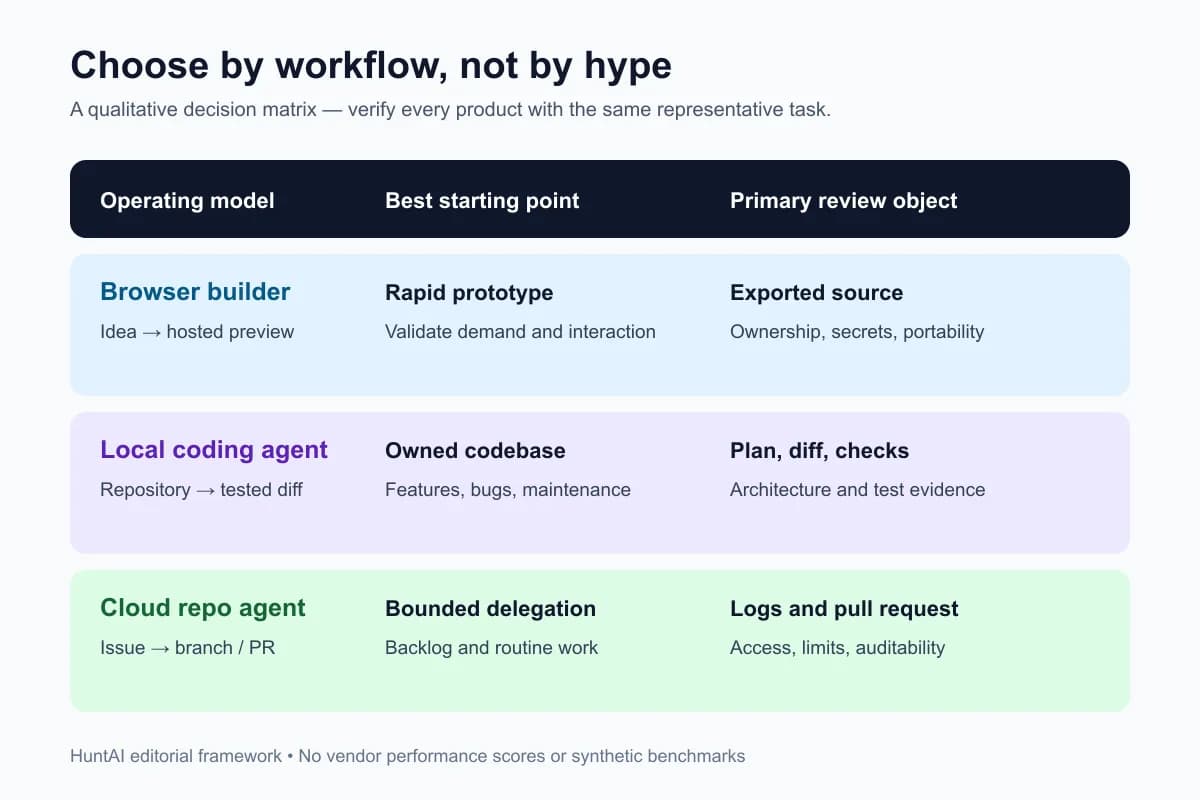
Browser builder
Best start: Rapid prototype
Review: Review exported source, secrets, and portability
Local coding agent
Best start: Owned codebase
Review: Review the plan, diff, and executable checks
Cloud repo agent
Best start: Bounded delegation
Review: Review logs, access, limits, and the pull request
Use a browser builder when speed is the experiment
A browser builder fits a landing-page prototype, an internal form, a disposable demo, or a small app whose first question is “does anyone want this?” You should be able to describe the UI and behavior, see a working preview, and iterate without assembling a local toolchain. Google Cloud explicitly positions its browser-based path around fast ideation, generation, refinement, validation, and deployment.
Before choosing one, export a test project and answer five questions: Can you retrieve the complete source? Is the repository history yours? Can you replace the hosted database or authentication layer? Are environment variables and secrets handled visibly? Can another developer run the project without the original builder? If any answer is unclear, treat the output as a prototype rather than a production foundation.
Use an IDE or terminal agent when the codebase is the product
Choose this workflow when you already have a repository, conventions, tests, and deployment paths. Anthropic describes Claude Code as an agentic tool that reads a codebase, edits files, runs commands, and integrates with development tools. The relevant buying question is therefore not “which model writes the prettiest snippet?” It is “which agent can acquire the right context, show its changes, run our real checks, and stop at our permission boundaries?”
Run a trial on a medium-sized maintenance task: add one field through the UI, API, validation, and test layers. Give every candidate the same repository instructions and acceptance criteria. Compare the proposed plan, files touched, test evidence, unsupported assumptions, and ease of reviewing the final diff. A tool that completes a toy component quickly but ignores existing architecture is not saving time; it is moving work into review and cleanup.
Use a cloud repository agent when delegation and auditability matter
GitHub documents a cloud-agent model that can research a repository, create a plan, change code on a branch, execute tests in an ephemeral environment, and let a developer review the diff before creating a pull request. This is a strong fit for bounded backlog work: test coverage, documentation, small bug fixes, dependency updates, or a well-specified incremental feature.
Inspect setup time, access controls, log retention, branch protection compatibility, network access, and limits on repositories or execution duration. The asynchronous workflow is valuable only when the returned work is easy to audit. Do not delegate a vague architecture rewrite merely because the agent runs in the background.
Seven criteria that survive feature churn
- 1. Context acquisition. Can it read the relevant repository, instructions, issue, logs, and documentation without flooding the session with unrelated files?
- 2. Change review. Can you inspect a plan and diff, reject parts, and trace why files changed?
- 3. Verification. Can it run the project's actual tests, lint, type checks, browser checks, and build rather than merely claim success?
- 4. Permission boundaries. Can you limit shell commands, network access, secrets, write scope, and deployment actions?
- 5. Ownership and portability. Is the complete source exportable, versioned, and runnable outside the vendor's hosting stack?
- 6. Failure recovery. Does it preserve a reviewable branch or checkpoint when a task fails, or does it leave an opaque partially modified workspace?
- 7. Workflow cost. Measure review minutes, retries, and cleanup alongside subscription or credit cost. Cheap generations can produce expensive maintenance.
A reproducible 60-minute evaluation
Pick one task with UI, data, validation, and tests. Freeze the prompt, fixture, repository revision, and acceptance checks. Give each tool 20 minutes. Record whether it asks useful questions, finds the correct ownership boundary, proposes a sensible plan, changes only required files, handles errors, and produces executable evidence. Do not score a tool on prose confidence or visual polish alone.
Review the result as if it came from a new teammate. Can you explain the design? Do tests fail for the intended reason before the fix and pass afterward? Does the build work without a vendor-only environment? Are secrets absent from code and logs? The winner is the workflow that leaves you with the smallest trustworthy review burden for your real task.
Real products to inspect in HuntAI
HuntAI's vibe coding directory is the discovery layer; this guide is the decision layer. Use the directory to verify that a product exists and inspect its stated category, then confirm capabilities on the vendor's official documentation before buying.
You can also compare the broader AI coding assistant and AI code generator collections. Those pages help with product discovery; the evaluation protocol above prevents adjacent categories from being mistaken for interchangeable tools.
When vibe coding is the wrong approach
Do not use an accept-everything workflow for safety-critical systems, regulated data, unfamiliar production infrastructure, or code nobody on the team can review. IBM notes that production software still needs code review, testing, dependency checks, security assessment, compliance verification, and ongoing maintenance. AI assistance can accelerate those activities, but it does not remove accountability.
A high-impact task may still use an agent, but the operating mode should change: narrow the scope, require a plan, isolate the environment, write the failing check first, review every external dependency, and keep deployment behind a human gate. If the team cannot state how it will validate and maintain the result, the correct tool choice is “not yet.”
Conclusion
The best vibe coding tool is the one whose control model matches your next real task. Browser builders optimize the idea-to-preview loop. IDE and terminal agents optimize work inside an owned codebase. Cloud repository agents optimize bounded delegation and review. Choose the workflow first, then run the same representative task through two candidates and keep the one that produces the clearest, most portable, and most verifiable result.